
Key In Ignition Warning Chime
Sounds when the key is left in the ignition in the off or accessory position and the driver’s door is opened.
Keyless Warning Alert (If Equipped)
Sounds the horn twice when you exit your vehicle with the intelligent access key, after the last door is closed and your keyless vehicle is in RUN, indicating your vehicle is still on.
Headlamps On Warning Chime
Sounds when the headlamps or parking lamps are on, the ignition is off (the key is not in the ignition) and the driver’s door is opened.
Parking Brake On Warning Chime
Sounds when you have left the parking brake on and drive your vehicle.
If the warning chime remains on after you have released the parking brake, have the system checked by your authorized dealer immediately.
GENERAL INFORMATION
WARNING:
Driving while distracted can result in loss of vehicle control, crash and injury. We strongly recommend that you use extreme caution when using any device that may take your focus off the road. Your primary responsibility is the safe operation of your vehicle. We recommend against the use of any handheld device while driving and encourage the use of voice-operated systems when possible.
Make sure you are aware of all applicable local laws that may affect the use of electronic devices while driving..
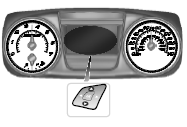
Various systems on your vehicle can be controlled using the information display controls on the steering wheel. Corresponding information is displayed in the information display.
Information Display Controls (Type 1)
• Press the up and down arrow buttons to scroll through and highlight the options within a menu.
• Press the right arrow button to enter a sub-menu.
• Press the left arrow button to exit a menu.
• Press the OK button to choose and confirm a setting/messages.
Menu
You can access the menus using the information display control.
Note: Some options may appear slightly different or not at all if the items are optional.
 Warning lamps and indicators
These indicators can alert you to a vehicle condition that may become
serious enough to cause expensive repairs. Many lights will illuminate
when you start your vehicle to make sure they work. If an ...

Other materials:
Jump-starting the vehicle
WARNING: The gases around the battery can explode if exposed
to flames, sparks, or lit cigarettes. An explosion could result in
injury or vehicle damage.
WARNING: Batteries contain sulfuric acid which can burn skin,
eyes and clothing, if contacted.
Do not attempt to push-start your automatic tr ...
Trailer towing
WARNING: Do not exceed the GVWR or the GAWR specified on
the certification label.
WARNING: Towing trailers beyond the maximum recommended
gross trailer weight exceeds the limit of your vehicle and could
result in engine damage, transmission damage, structural damage, loss
of vehicle control, ve ...
Heated windows and mirrors (if equipped)
Heated Rear Window
Note: The ignition must be switched on to use this feature.
Press the button to clear the rear window of thin ice and fog. Press the
button again within 10 minutes to switch it off. It switches off
automatically after 10 minutes, or when you switch the ignition off.
Do no ...
