
WARNING:
Do not adjust the driver’s seat or seatback while the vehicle is moving.
WARNING:
Rock the seat backward and forward after releasing the lever to make sure that it is fully engaged.
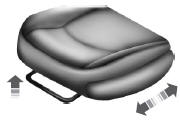
Moving the seats backward and forward
WARNING:
Before returning the seatback to its original position, make sure that cargo or any objects are not trapped behind the seatback. After returning the seatback to its original position, pull on the seatback to ensure that it has fully latched. An unlatched seat may become dangerous in the event of a sudden stop or crash.
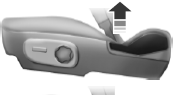
Recline adjustment
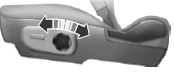
Lumbar adjustment
 Head restraints
WARNING: To minimize the risk of neck injury in the event of a
crash, the driver and passenger occupants should not sit in or
operate the vehicle, until the head restraint is placed in its proper
p ...
 Power seats
WARNING: Never adjust the driver’s seat or seat back when the
vehicle is moving.
WARNING: Before returning the seat back to its original
position, make sure that cargo or any objects are not trap ...
Other materials:
Suspension System - General Information
SPECIFICATIONS
Alignment Specifications
a Camber Total/Split = LH Camber - RH Camber
b Caster Total/Split = LH Caster - RH Caster
General Specifications
Torque Specifications
DESCRIPTION AND OPERATION
Wheel Alignment Angles
Camber
Negative and Positive Camber
Camber is the vertical til ...
General Procedures
Safety Belt Cleaning
WARNING:
Do not bleach or re-dye the safety belt webbing, as the webbing may weaken.
Failure to follow this instruction may increase the risk of serious personal
injury or death in a crash.Clean the safety belt webbing only with a
mild soap solution recommended f ...
Navigation system
Note: The navigation SD card must be in the SD card slot to operate
the navigation system. If you need a replacement SD card, see your
authorized dealer.
Note: The SD card slot is spring-loaded. To remove the SD card, just
push the card in and release it. Do not attempt to pull the card out to ...
