
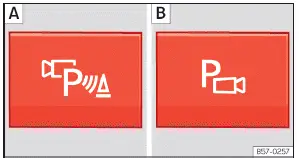
Fig. 135 Centre console: parking aid button
(depending on the version).
Switching on and off manually
- Press the
 button once to switch Park Assist Plus on or off manually. The button provides direct access to the parking assistance function, allowing the driver to activate obstacle monitoring when preparing to manoeuvre or deactivate it when assistance is no longer required.
Automatic activation
- Select reverse gear. Park Assist Plus activates automatically when reverse is engaged, allowing the driver to receive information about obstacles around the Seat Ateca while preparing to move backwards.
- Alternatively, when driving forwards at a speed below 15 km/h (9 mph), the system can activate automatically if an obstacle is detected at a distance of approximately 95 cm or less. This function helps the driver recognise nearby obstacles during slow manoeuvres. If automatic activation is enabled, the infotainment system initially presents a reduced parking assistance view rather than the complete display.
- Park Assist Plus can also activate automatically when the vehicle moves backwards. This allows the system to provide parking assistance information during low-speed reversing movements, subject to the applicable operating conditions.
When Park Assist Plus activates automatically, the infotainment display shows a diagram representing the Seat Ateca together with the relevant obstacle detection segments. These visual indications help the driver identify the approximate position of nearby objects and understand which areas around the vehicle require attention. The information displayed depends on the obstacles detected by the parking sensors.
Automatic activation operates when the vehicle's speed falls below 15 km/h (9 mph) for the first time. The system does not repeatedly activate under the same conditions without the required change in operating state. This behaviour helps prevent unnecessary repeated activation while the vehicle continues travelling at low speed.
The automatic activation function can be enabled or disabled through the infotainment system. The setting determines whether Park Assist Plus can switch on automatically when the relevant low-speed and obstacle detection conditions are satisfied. To change the setting, follow the procedure below:
- Switch on the ignition so that the infotainment system and vehicle assistance settings are available.
- In the infotainment system, select
 > Settings > Parking and manoeuvring. This opens the settings associated with the parking assistance functions.
- Select the Automatic activation checkbox to enable the function. Clear the checkbox if you do not want Park Assist Plus to activate automatically under the specified conditions.
- Alternatively, open the parking assistance function and select Settings > Automatic activation. This provides another way to adjust the same operating preference directly from the parking assistance interface.
When Park Assist Plus has been activated automatically, an audible proximity warning is emitted only when an obstacle in front of the vehicle is approximately 50 cm away or closer. The visual display may indicate an obstacle before an audible warning begins. The driver should therefore monitor both the infotainment screen and the surrounding area rather than waiting for a warning sound before responding.
If Park Assist Plus has been switched off using the  button, automatic activation will not become available again until one of the following actions has been performed. These conditions allow the system to recognise that automatic operation may be resumed:
- Switch off the ignition and then switch it on again. Restarting the ignition allows the parking assistance system to return to its normal activation conditions.
- Alternatively, drive forwards at a speed exceeding approximately 15 km/h (9 mph). After this speed threshold has been exceeded, the system can become available for automatic activation again when the required low-speed conditions are subsequently met.
- Alternatively, move the automatic transmission selector into position P and then move it out of that position again. This change in selector position allows the system to resume its normal automatic activation behaviour.
- Alternatively, change the automatic activation setting in the infotainment system by switching it off and then on again. This resets the selected activation state without requiring the other listed actions.
Automatic disconnection
- Park Assist Plus switches off automatically when the Seat Ateca travels forwards at 15 km/h (9 mph) or faster. Above this speed, the parking assistance function is no longer intended to provide its normal low-speed manoeuvring indications.
- On vehicles with an automatic transmission, the system also switches off when the selector lever is moved into position P. This corresponds to the vehicle being placed in its parking position, where active manoeuvring assistance is no longer required.
Temporary sound suppression
- Press the
 function button on the infotainment screen to temporarily mute the audible parking assistance warnings. This changes the sound output without requiring the driver to switch off the entire parking assistance display. Continue checking the visual indications and surrounding obstacles while the warning sounds are suppressed.
Change from reduced view to full view
- Select reverse gear to display the full parking assistance view. This allows the driver to examine the available obstacle information in greater detail when preparing to reverse.
- Alternatively, touch the vehicle icon shown in the reduced parking assistance display. The infotainment system then changes to the full view, providing a more complete representation of the monitored areas around the Seat Ateca.
Switch to the reverse assist image (Rear View Camera "RVC")
- Select reverse gear to access the rear-view camera image when the vehicle is equipped with the Rear View Camera system. The image provides a view of the area behind the vehicle to assist with reversing.
- Alternatively, press the RVC function button on the infotainment display. This changes the displayed parking assistance information to the rear-view camera image, allowing the driver to examine the area behind the vehicle visually.
When Park Assist Plus is switched on, a brief confirmation tone sounds and the corresponding button symbol illuminates. These indications confirm that the parking assistance function has been activated. The driver should still verify that the system is providing the expected information before relying on its warnings during a manoeuvre.
NOTICE Park Assist Plus activates automatically only while the Seat Ateca is travelling at very low speed and the specified conditions are satisfied. The availability of automatic activation must not encourage the driver to approach obstacles too quickly or manoeuvre without sufficient care. Failure to adapt driving speed and behaviour to the available space, visibility and surrounding traffic can result in a collision, serious injury or damage to the vehicle. Always maintain a speed that allows you to stop safely using the brake pedal.
 Description
Fig. 133 Park assist view on the Infotainment
system display.
Park Distance Control Plus, also referred to as ParkPilot or Park Assist Plus, helps the driver manoeuvre the Seat Ateca by ...
 Visual indication segments
Fig. 136 Park assist view on the Infotainment
system display.
The Park Assist Plus display uses coloured segments to indicate the approximate position and distance of obstacles detected ...
Other materials:
Introduction
When the Seat Ateca is started with a severely discharged 12-volt battery or after the battery has been replaced, certain stored system settings may have changed or been erased. These can include the clock, date, personalised comfort preferences and previously programmed functions. Such changes may ...
Auxiliary Power Points
WARNING: Do not plug optional electrical accessories into the
cigarette lighter socket (if equipped). Improper use of the lighter
can cause damage not covered by your warranty, and can result in fire
or serious injury.
Note: If used when the engine is not running, the battery will
discharge.
...
Diagnosis and Testing
External Controls
Inspection and Verification
Verify the customer concern by operating the system.
Visually inspect for obvious signs of mechanical or electrical damage.
If the concern is not visually evident, verify the symptom. GO
to Symptom Chart.
Visual Inspection Chart
DTC Char ...
