
Key In Ignition Warning Chime
Sounds when the key is left in the ignition in the off or accessory position and the driver’s door is opened.
Keyless Warning Alert (If Equipped)
Sounds the horn twice when you exit your vehicle with the intelligent access key, after the last door is closed and your keyless vehicle is in RUN, indicating your vehicle is still on.
Headlamps On Warning Chime
Sounds when the headlamps or parking lamps are on, the ignition is off (the key is not in the ignition) and the driver’s door is opened.
Parking Brake On Warning Chime
Sounds when you have left the parking brake on and drive your vehicle.
If the warning chime remains on after you have released the parking brake, have the system checked by your authorized dealer immediately.
GENERAL INFORMATION
WARNING:
Driving while distracted can result in loss of vehicle control, crash and injury. We strongly recommend that you use extreme caution when using any device that may take your focus off the road. Your primary responsibility is the safe operation of your vehicle. We recommend against the use of any handheld device while driving and encourage the use of voice-operated systems when possible.
Make sure you are aware of all applicable local laws that may affect the use of electronic devices while driving..
Various systems on your vehicle can be controlled using the information display controls on the steering wheel. Corresponding information is displayed in the information display.
Information Display Controls (Type 1)
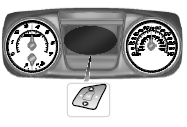
• Press the up and down arrow buttons to scroll through and highlight the options within a menu.
• Press the right arrow button to enter a sub-menu.
• Press the left arrow button to exit a menu.
• Press the OK button to choose and confirm a setting/messages.
Menu
You can access the menus using the information display control.
Note: Some options may appear slightly different or not at all if the items are optional.
 Warning lamps and indicators
These indicators can alert you to a vehicle condition that may become
serious enough to cause expensive repairs. Many lights will illuminate
when you start your vehicle to make sure they work. If an ...

Other materials:
Fuel Tank and Lines
SPECIFICATIONS
General Specifications
Torque Specifications
DESCRIPTION AND OPERATION
Fuel Tank and Lines
2.0L Gasoline Turbocharged Direct Injection (GTDI)
Fuel Tank and Lines
The fuel tank and lines consists of:
a single container (L-shaped) fuel tank.
a fuel level sensor assembly.
a Fuel ...
Body System - General Information
SPECIFICATIONS
Material
DESCRIPTION AND OPERATION
Insulation
Insulation is used as a sound-deadener to reduce exterior road and powertrain
noises from the interior of the vehicle. Mastic insulators are also used as
insulation. For information on the location of the mastic insulators, refer
to&nb ...
Engine Ignition - 3.5L Ti-VCT
SPECIFICATIONS
Material
General Specifications
Torque Specifications
DESCRIPTION AND OPERATION
Engine Ignition
Component Location
System Operation
REFER to the PC/ED manual
section 1 Description and Operation.
Component Description
REFER to the PC/ED manual
section 1 Descr ...
